
Most OpenCart admins start the day the same way: open Sales, filter by date, note the revenue figure, then repeat the process for orders, then again for stock. Ecommerce dashboard research from Saras Analytics found that most brands at scale still pull numbers from disconnected reports, spreadsheets, and platform tabs that frequently tell conflicting stories, which is a large part of why that morning routine takes as long as it does.
An OpenCart Smart Insights Extension replaces that sequence with a single typed question, answered directly from the store’s live database rather than a report page. A smart insights tool for OpenCart built around this idea removes the report-navigation step entirely, rather than just making the reports themselves load faster.
What an OpenCart Smart Insights Extension Actually Replaces Every Morning
The daily routine most OpenCart admins run isn’t really about needing complicated data. It’s about needing the same handful of numbers- revenue, order count, stock status- repeated every morning through a process that was never designed for repetition.
Buyer research on AI-powered reporting tools frames the practical goal well: the best tool isn’t the one with the most connectors; it’s the one that gets a decision-maker to an answer before the window to act on it closes. A revenue dip noticed at 9 AM can still be addressed that day. The same dip noticed after a five-minute report-building process, repeated across three separate admin sections, often gets addressed a day later, if at all.
From Daily Question to Instant Answer: What Store Owners Ask Every Morning
| Daily Question | Old Path | New Path |
| What did we make today? | Open Sales report, set date range, wait for load | Tap a chip, get a number instantly |
| Any orders cancelled recently? | Filter Orders by status manually | Ask directly, get a list |
| What’s low on stock? | Open Catalog, sort by quantity | Ask, get a ranked list |
| Any carts abandoned this week? | Cross-reference Carts and Orders by hand | Ask, get count and value together |
The right side of that table isn’t a hypothetical. It reflects how predefined, one-tap question shortcuts function once a store connects a natural language query interface to its actual database, rather than a cached export.
How an OpenCart AI Sales Analytics Plugin Turns Revenue Questions Into One-Tap Answers
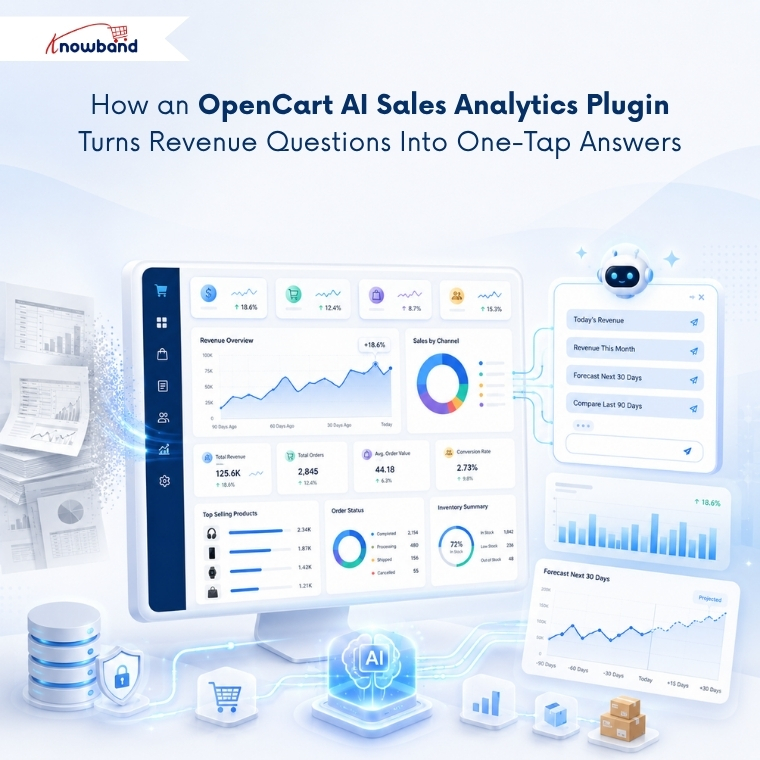
Revenue questions are where the daily routine loses the most time, since they usually require the same report reopened at a different hour to check whether a number has moved. An OpenCart AI Sales Analytics Plugin built around live queries answers a revenue question the moment it’s asked, sourced from the same order data the store’s Sales report already uses.
Revenue forecasting extends this further. Projecting the next 30 days of trading based on the last 90 days of momentum, rather than a flat historical average, gives an admin something closer to a planning tool than a status check, and it’s the kind of feature that separates a real-time analytics dashboard from a static report.
Where OpenCart Store Management AI Goes Beyond Daily Numbers
Daily revenue and order counts only cover part of running a store. OpenCart Store Management AI extends into the questions admins tend to ask less frequently but that matter just as much: which customers are at risk of churning, which products need reordering, and which ones have quietly stopped selling.
A churn risk widget that flags high-value customers who’ve gone quiet past a configured inactivity window catches a retention problem before it becomes a lost customer, rather than after. Reorder suggestions calculated from actual units sold per day, rather than a flat minimum-stock rule, help an admin restock the right quantity instead of guessing between too much and too little.
How Knowband’s OpenCart Smart AI Admin Assistant Delivers This
The Knowband OpenCart Smart AI Admin Assistant connects a chat interface directly to the store’s live data through read-only MySQL views, so no query run through it can ever change, delete, or write anything back to the database. Ten predefined chips ship active from day one, covering the questions admins ask most: today’s orders, thirty-day revenue, abandoned carts, low stock, and new customer signups, with custom chips addable for anything specific to a given store.
An analytics dashboard adds 34 widgets across key metrics, charts, and ranked lists, including revenue forecasting, churn risk, and reorder suggestions, all queryable through the same plain-language interface. Store admins choose between OpenAI, Anthropic Claude, or Google Gemini as the AI provider, and SQL visibility can be switched on so any admin can see exactly how an answer was produced, without needing to write the query themselves.
Getting Daily Performance Data From an OpenCart Smart Insights Extension
The daily report-checking routine most OpenCart admins run isn’t slow because the data is complicated. It’s slow because getting to a simple number requires navigating through report pages built for occasional deep analysis, not repeated morning checks. An OpenCart Smart Insights Extension collapses that navigation into a single question, answered from the store’s actual current state rather than a cached export.
Store owners still opening three separate report tabs each morning are spending time on a process a properly configured OpenCart Store Management AI tool already handles in seconds. The daily check becomes a ten-second habit instead of a fifteen-minute task, without losing any of the accuracy the original reports provided.


