
A growing store blog can become difficult to manage long before it becomes difficult to write. Posts start covering similar topics, more categories appear, tags get confusing, and users struggle to move from one helpful article to another. This problem can be solved by applying an OpenCart Blog Extension, which will give the blog structured content in the same store administration system.
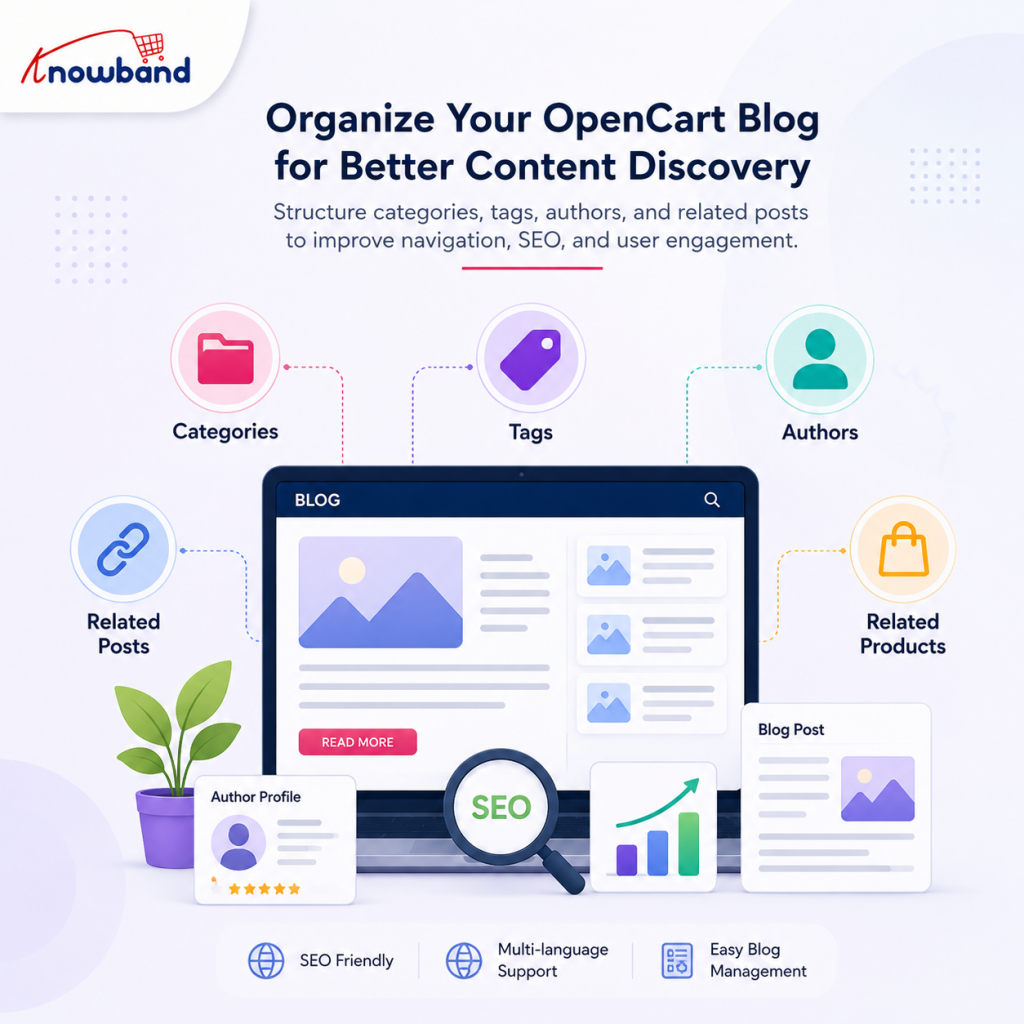
The task of store owners using OpenCart for organizing a blog is not to create the biggest possible taxonomy. The idea is to make each piece of content easily classified and findable, and valuable enough to help a reader proceed to another one. Blog extension for OpenCart by Knowband allows you to use categories, tags, author pages, related products, related posts, SEO fields, multilingual support, and publication settings for building such a structure.
Start with an OpenCart Blog Extension structure that reflects how customers shop
Before adding categories or tags, map the subjects your customers actually care about. An ecommerce blog usually sits between search discovery and product discovery, so its structure should reflect both.
A simple example is a home-fitness store. Its content might naturally cover:
- Beginner workouts
- Equipment buying advice
- Exercise technique
- Recovery and maintenance
- Product comparisons
They are possible blog categories because all of them are valid subject areas that can have multiple blog posts. “How to Choose Resistance Bands” can be classified as a buying advice category, while “Resistance Band Exercises for Beginners” can be a beginner workout category.
It is necessary to distinguish these concepts, since categories help visitors to understand where they are on the site. In the same way, Google estimates relations between pages by analyzing the links between them, so the navigation system may provide additional information for search engines regarding what content is important and how pages are related to one another.
OpenCart Blog Manager allows assigning multiple categories to posts and thus gives opportunities to organize content by multiple relevant topics, which really helps the reader.
Keep categories broad enough to grow
A common mistake is creating a category for every narrow topic. A store that posts five articles on running shoes does not need categories “running shoes”, “road running shoes”, “trail running shoes”, “running shoe sizing” and “running shoe reviews”.
Start with durable subject areas. Add a new category when a topic has enough editorial importance to deserve its own collection of posts.
Nested categories can be helpful if the blog has depth. For instance, “Buying Guides” can contain “Fitness Equipment” and “Accessories”. However, the hierarchy of categories should remain understandable for the customer who has never seen the admin panel.
Use tags for connections, not as a second category system
Tags are most useful when they describe a recurring characteristic that crosses category boundaries.
Take a skincare store as an example. “Buying Guides” and “Skin Concerns” can be categories, while “vitamin C”, “sensitive skin” and “summer skincare” would make better blog tags. In this case, the post can relate to several subjects without complicating the category structure.
The rule is clear: if two different terms are likely to attract almost the same articles to the user, then you do not really need both of them.
Tag sprawl creates maintenance work. It also makes archive pages less useful when each tag contains only one or two articles. Before creating a tag, ask whether you expect to use it repeatedly and whether the resulting archive would be useful to someone browsing the blog.
The module supports categories and tags as part of its content organization system, while category, author, and tag pages can have their own SEO and social-sharing metadata.
Build author pages around real expertise
Authors are more than names displayed beneath article titles. An author page, well-maintained, provides context for the visitor about who is behind the content.
If the store sells electronics, the author profile may describe its in-house specialist who knows the product well. If it sells nutrition products, then it may involve some writers or contributors who write the articles. Whatever the specific case may be, the main idea is to make the authors valuable enough to provide information about themselves rather than being some sort of administrative label.
Google documentation states that authors should be clearly marked in articles’ structured data, and wherever it is reasonable, a link to the author’s page should be provided through a URL or sameAs property. Google also supports ProfilePage structured data for pages focused on an individual creator or organization.
The module supports author assignment and individual author pages, with SEO-oriented metadata available for those pages.
That gives store teams a useful editorial workflow: assign responsibility for each post, keep author information consistent, and review older content when an author changes roles or the store’s editorial standards evolve.
Make related posts useful, not automatic filler
The related-post section will perform better when the recommendation helps readers to answer their next logical question.
In case the user comes to a blog post on how to select a suitable laptop for studies at university, an article on laptop battery life or required memory becomes relevant, whereas a totally unrelated article on office chairs does not matter even though all these products belong to the same store.
The right related post must share either the same problem, the same purchase funnel, or a very similar topic. Focus on the needs of visitors instead of adding extra links to make your page more linky.
Internal links help search engines to understand the connections between major pages. Google recommends relevant internal links and descriptive anchor text, and notes that pages receiving more internal links can be interpreted as more important within the site’s structure.
For an ecommerce blog, this is where editorial planning and commercial relevance meet. The guide can lead to a comparison, the comparison can lead to a category of products, and the article on the specific product can redirect users to those products that help to solve the problem mentioned in the article.
Connect blog content to products without breaking the reading experience
A store blog should not turn every paragraph into a sales pitch. Readers usually arrive because they need information, not because they want another product catalogue.
A better approach is to connect the article to products at the point where the product becomes relevant. A guide to choosing a coffee grinder can explain grind size, brewing methods, and capacity first, then present suitable grinders below the article.
The module supports direct product linking from posts and can also display related blogs on product pages. That creates a two-way relationship between informational content and the catalogue.
This is especially useful for an ecommerce blog strategy built around informational search. The visitor may find the article via a search engine, get some valuable information, and land on a product that solves the problem without going back to the home page.
Treat SEO fields as part of publishing, not an afterthought
Taxonomy and navigation determine how content is organized, but individual post metadata still needs attention. A good OpenCart Blog Extension makes these fields part of the publishing step rather than a separate task.
For each article, review the:
- SEO-friendly URL slug
- Meta title
- Meta description
- Featured image and image alt text
- Category and tag assignments
- Links to relevant articles and products
The module provides functionality such as SEO fields, URL slug customization, featured images, galleries, cover-image alt text, and the auto-updated XML sitemap with blog posts. The meta title and meta description should clearly explain the page instead of trying to include target phrases. Google’s ecommerce best practices also recommend using crawlable links, anchor text, and site architecture.
For developers, URL consistency deserves attention during implementation. Google recommends stable, meaningful URLs, self-referencing canonicals on indexable pages, and direct HTML links that crawlers can follow.
Use an editorial calendar to control taxonomy growth
Taxonomy problems often appear because content is created one post at a time without a larger plan.
The presence of the editorial calendar allows the team to see ahead what will be posted in the upcoming weeks or months. The editors can check before publishing whether there is already an article on the same subject, whether it should be updated, or which category will manage this content.
It becomes especially valuable when the store works in several languages or storefronts. The module supports multilingual blog management, allowing administrators to control which content appears for each storefront language.
The calendar can also separate evergreen guides from seasonal content. HubSpot’s 2025 research found that 40% of blog-producing businesses reported an even split between evergreen and timely content, while how-to guides were rated as a strong-performing format by 51% of respondents.
Those figures are not a prescription for every store. They are a useful reminder that a blog can serve different jobs, and its structure should accommodate both long-lived educational articles and timely pieces.
Where AI content generation fits into the workflow
AI can help cut down on the time spent drafting, but it doesn’t eliminate the need for editorial organization.
The OpenCart Blog Manager supports AI-powered generation, translation, expansion, and optimization using OpenAI and Google Gemini models listed on the product page.
The reasonable way to work is to choose the topic, category, target audience, and links beforehand. In this case, AI will not make it easier to write several duplicated articles.
Use AI technologies for creating drafts, expanding outlines, translations, and filling SEO fields. The human editor will be responsible for product mentions, claims, tone, search intent,t and the originality of the content that the new post offers.
It’s important since more content doesn’t necessarily mean good content marketing. According to HubSpot’s survey conducted in 2025, 50% of marketers working at companies that are doing blogs saw increased blogging ROI in 2024 compared to 2023, and the effect was achieved not just because of random writing but through blogging as one of the marketing activities.
Common organization mistakes to fix early
A few patterns tend to cause trouble as a store blog grows.
Creating categories around keywords
Categories are supposed to reflect topics and users’ interests, not the collection of keywords. Keyword research can provide useful input, but it shouldn’t define every label.
Using tags for every possible variation
Such tags as “black”, “black shoes”, “black footwear,” and “black sneakers” can cause overlapping archives very fast. Try to choose tags that will add real browsing value.
Publishing without an internal-link plan
A new article should have a place in the existing content network. Add links to useful older articles and look for older posts that should link back to the new one.
Letting old taxonomy pages remain thin
Google recommends avoiding links to, or indexation of, pages without useful content. Empty or nearly empty category pages can become a quality and maintenance issue.
Treating authors as interchangeable
When several people write posts for the blog, the author data should be correct. Authorship adds transparency to the content and helps readers to understand who created the content.
A practical structure for an OpenCart store blog
A workable setup for many stores looks like this:
- Category: Buying Guides
- Tags: product type, customer need, use case
- Author: person responsible for the article
- Post: one clear search intent
- Related posts: two or more genuinely connected articles
- Products: only products directly relevant to the topic
- SEO: unique slug, title, description, image metadata
- Navigation: links that connect the article to useful category, post, and product pages
The exact number of categories or tags should depend on how the OpenCart Blog Builder is used across the store. A store with 30 useful articles needs a different structure from one with 1,000 articles.
For developers, the technical layer should support the editorial rules rather than work against them. Crawlable links, consistent URLs, useful archive pages, and accurate metadata make the content structure easier for both visitors and search engines to interpret. Google’s ecommerce documentation specifically recommends linking important pages through site navigation and using meaningful internal links to communicate page relationships.
When a blog manager becomes worth considering
Managing a handful of articles manually may be straightforward. The workload changes when the store needs multiple authors, categories, tags, scheduled publishing, multilingual content, imports, SEO fields, and product relationships.
An OpenCart Blog Plugin from Knowband can be useful in that situation because these functions are handled within the store’s administration workflow instead of being split across separate systems. The module also supports WordPress WXR imports and RSS imports, including recurring RSS imports through cron, which can matter when migrating an established content library.
The aim is not to include all the features possible into the blog. Pick the ones that will help you reduce repetition and implement the editorial policies more efficiently.
A simple maintenance routine for store owners
When the category structure is done, revise it from time to time instead of redesigning the whole thing each month.
A useful monthly check can include:
- Look for posts assigned to irrelevant or duplicate categories.
- Review tags that appear on very few posts.
- Check whether important articles have useful internal links.
- Update outdated product references.
- Review author information.
- Identify articles that should be consolidated or refreshed.
- Check the XML sitemap and important blog URLs.
- Compare article traffic and conversions to see which topics support the store.
The last step is particularly useful. A blog should be evaluated against business goals as well as traffic. HubSpot’s research found that 46% of blog-producing businesses use conversion rate to measure blog success, alongside metrics such as pageviews and time on page.
That does not mean every article needs to sell a product. Some posts may support discovery, while others answer product questions or assist customers close to purchase. Understanding those roles makes keyword ranking data much more useful because the team can judge visibility in the context of the article’s purpose.
Conclusion: Build a blog readers can navigate
Good blog organization is less about having many taxonomy options and more about making sensible editorial decisions. Categories should create broad subject paths, tags should connect meaningful cross-topic themes, author pages should establish responsibility, and related posts should help readers continue their journey.
An OpenCart Blog Extension can provide the administrative foundation for that structure, especially when a store needs categories, tags, authors, SEO controls, product links, multilingual publishing, and content workflows in one place. The OpenCart Blog Builder from Knowband is designed around those publishing and organization requirements, with additional AI, import, RSS, and sitemap capabilities documented for the product.
If your current blog has grown into a collection of disconnected articles, start by auditing the taxonomy rather than publishing more content. Then use the OpenCart Blog Plugin to bring the resulting structure into a manageable publishing workflow.
For more such reads, you can visit:

